
Experience Ragnarok Origin: ROO like never before on your Mac! This reimagined classic MMORPG boasts stunning visuals, refined gameplay, and a vast world of adventure. Gravity's creation faithfully captures the original's charm while leveraging high-quality 3D graphics, fluid animations, and an immersive open world. Previously inaccessible to Mac users, ROO is now playable natively thanks to BlueStacks Air, eliminating lag and crashes. Our Macbook test yielded surprisingly positive results!
Unleash Ragnarok Origin's Anime-Style Visuals on Your Mac Display
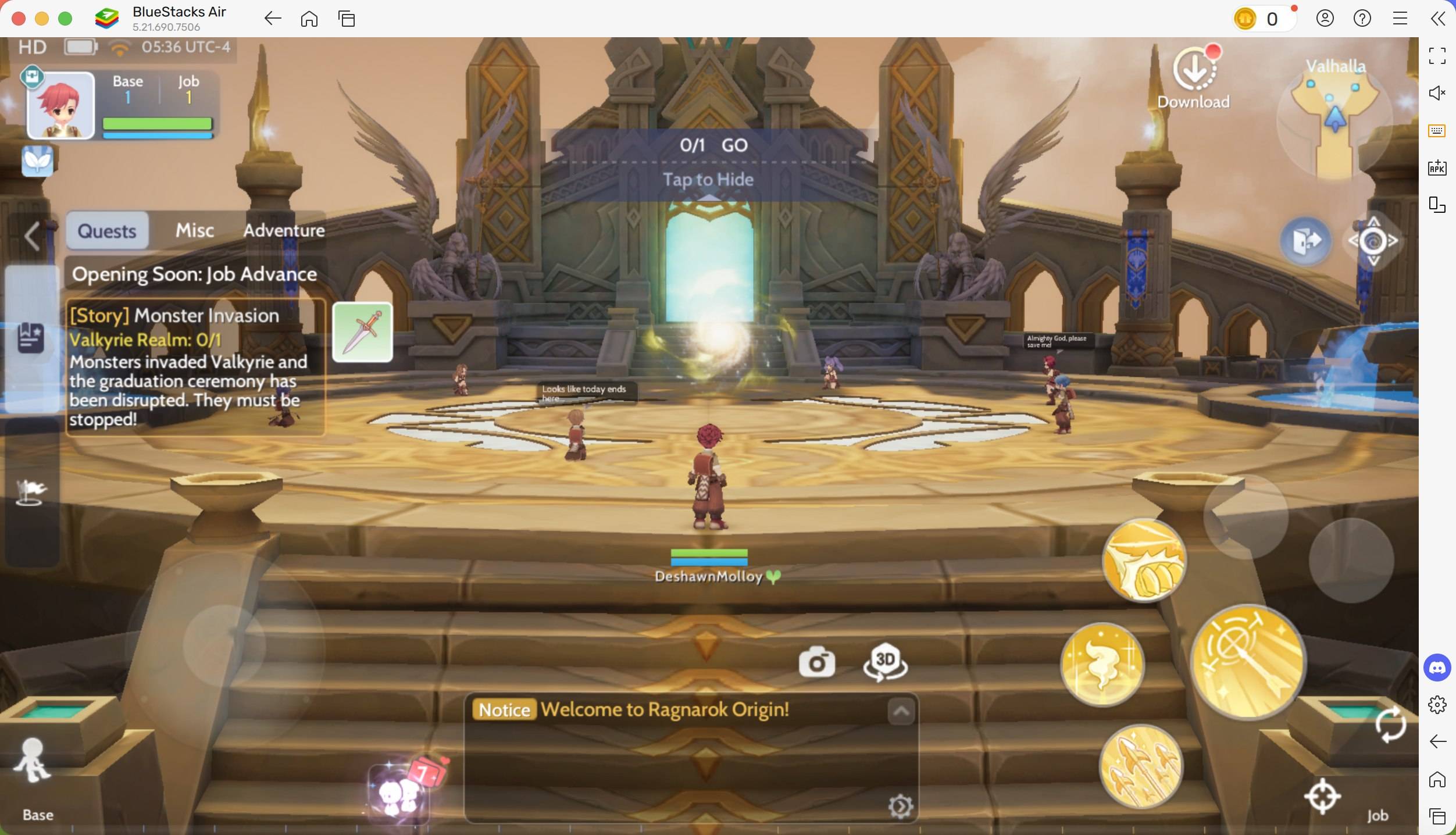
Playing ROO on a Mac reveals its true visual splendor. Mac's Retina displays bring the vibrant colors and detailed textures to life, particularly enhancing the anime-style art. The game's diverse environments are rendered with exceptional detail, and the high-resolution support ensures a sharp, immersive experience. Enjoy significantly improved visibility compared to mobile devices by switching to full-screen mode (Fn + F). This maximizes the Mac's larger screen real estate while maintaining optimal aspect ratio, particularly beneficial during combat for precise aiming.
Master the Game with Keyboard and Mouse Precision
BlueStacks Air transcends the limitations of mobile touch controls. Customize your controls for superior gameplay using your keyboard and mouse. Experience precise aiming and attacks, assign hotkeys for swift ability execution, and navigate your inventory with ease. Combat, crucial for obtaining valuable loot based on dungeon difficulty, becomes significantly more efficient. BlueStacks offers complete keymapping customization, allowing you to tailor controls to your preferred style. Access pre-set controls via SHIFT + TAB, or create your own custom schemes. For instance, assigning a hotkey to summon your mount significantly streamlines travel during quests.
Uninterrupted Gameplay: Say Goodbye to Battery Drain and Notifications
MMORPGs demand significant playtime, often involving extensive travel for quests and events. Mobile gaming's battery limitations and interruptions are eliminated with BlueStacks Air. Enjoy extended gameplay without worrying about battery drain or overheating. Avoid frustrating interruptions from calls, messages, and notifications. Immerse yourself fully in the fantasy world without distractions from social media or other apps, ensuring uninterrupted progress, especially during crucial boss battles.
Installing and Playing Ragnarok Origin: ROO on BlueStacks Air
Setting up BlueStacks Air on your Mac is simple and fast. The entire process takes only minutes. Follow these steps:
- Download BlueStacks Air: Visit the game's page and click "Play Ragnarok Origin: ROO on MAC" to download the installer.
- Install BlueStacks Air: Double-click
BlueStacksInstaller.pkgand follow the on-screen instructions. - Launch and Sign In: Open BlueStacks Air from your Launchpad or Applications folder and sign in with your Google account.
- Install Ragnarok Origin: ROO: Search for Ragnarok Origin: ROO in the Play Store and install it.
- Enjoy the Game! Launch the game and embark on your adventure!
BlueStacks Air on Mac offers a superior Ragnarok Origin: ROO experience. Enhanced visuals, precise controls, and uninterrupted gameplay make it the ideal choice for dedicated players seeking the best possible performance. Upgrade your ROO experience today!